Free · No account needed · No ads
Every new tab, a job board
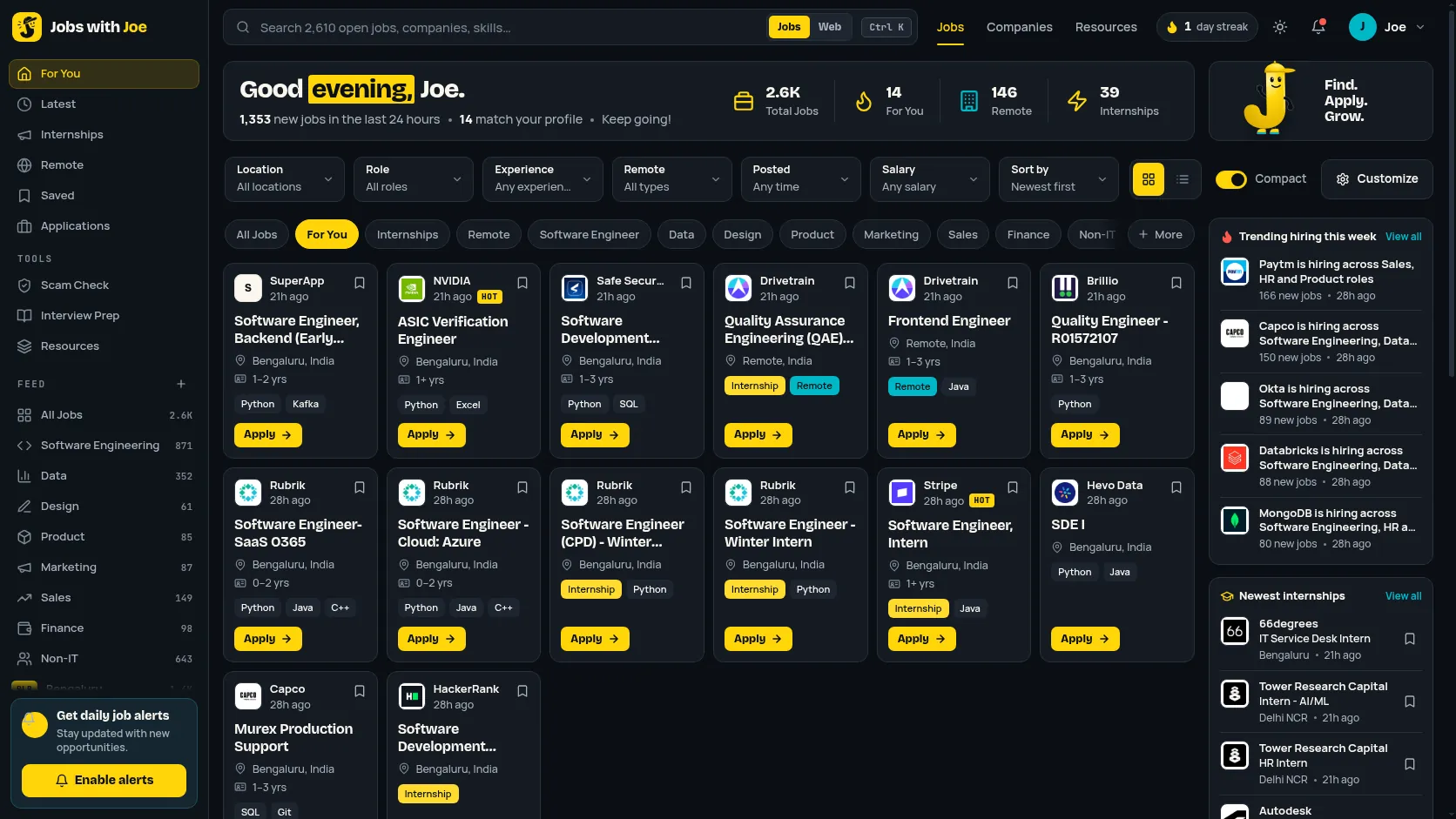
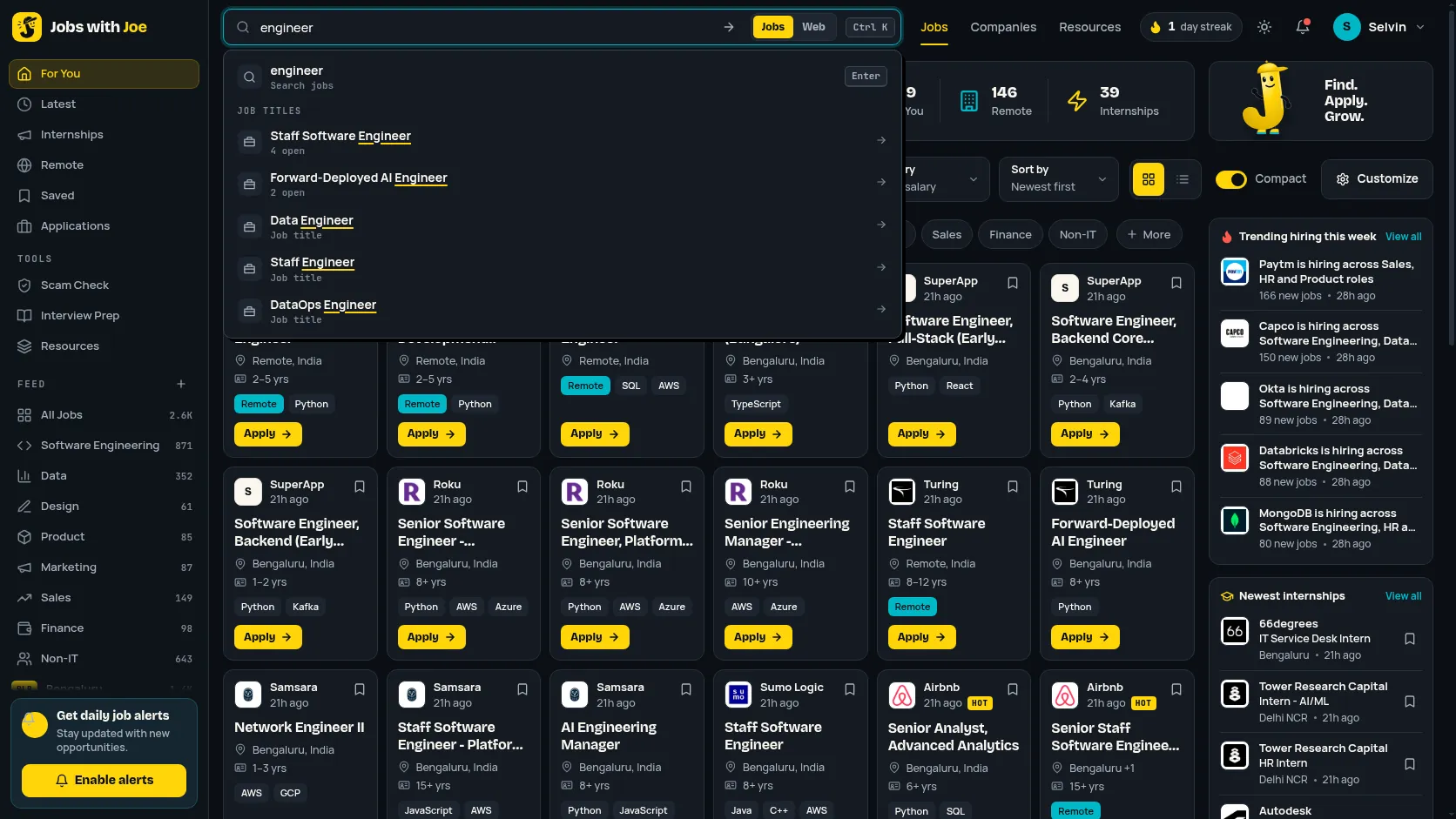
Jobs with Joe for Chrome turns your new tab into a daily board for job seekers in India: the newest fresher jobs and internships with company logos, a search box for jobs or the web, a scam check and an interview question of the day.
Version 3.4.0 · Chrome, Edge and Brave on desktop · Installs by hand in about two minutes (not in the Chrome Web Store)
What’s on the board
Useful every time you open a tab
A job feed on every new tab
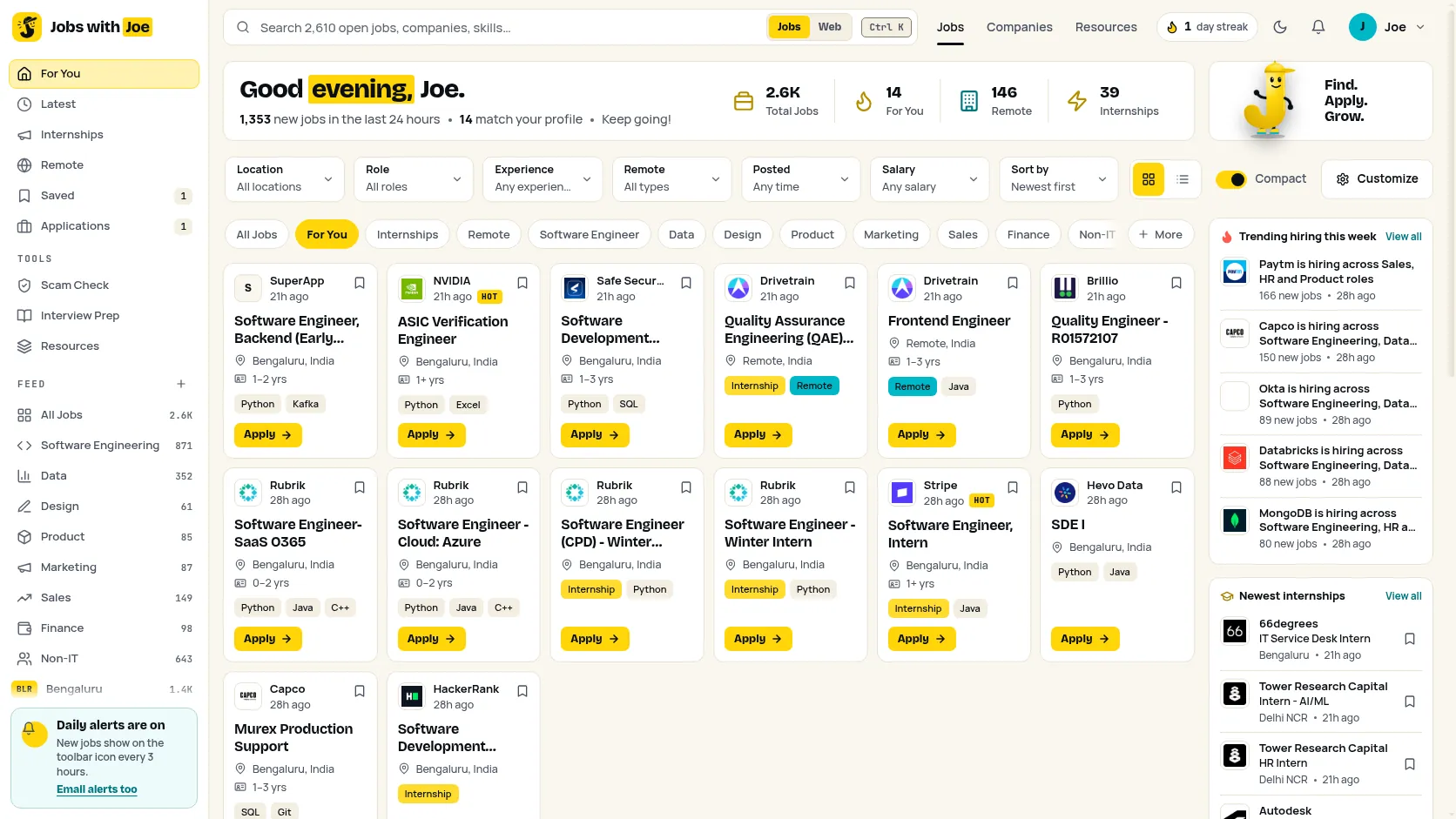
Dense cards for the newest jobs and internships: company logo, how long ago each was added, location, experience and pay when the posting states them, skills and a one-click Apply. Grid or list, compact or roomy, with infinite scroll.
Filters and your feeds
Filter by location, role, experience, remote, posted date, salary, graduation batch and degree (only what the employer states), and sort the feed. Pick your cities, roles and batch year for the For You feed, and jump between categories like Software Engineering, Data, Design and Non-IT.
Trending and closing soon
Companies with the most new roles this week, and roles with a real stated deadline. When too few roles publish one, you see the newest internships instead. Turn on daily alerts for new jobs on the toolbar icon.
Updates without the Web Store
New in 3.4.0: Joe checks for a new version every 6 hours. When one is ready you see NEW on the toolbar icon and a banner on your new tab; one click downloads it and walks you through unzip and Reload. Your saved jobs and settings stay.
Real views and applies
Since 3.3.0: each card shows how many people viewed it and applied via Joe, plus a Trending flame, with Most viewed and Most applied sorts and a live stats strip. Real counts only, shown once they reach 5. The extension sends an anonymous daily active ping to count users; see its privacy policy.
Track every application
Saved, Applied, OA, Interview, Offer or Rejected: set a status on each job in Applications and filter by it. Turn on deadline reminders to get a notification two days before a tracked job’s stated last date. All kept in your browser.
Is this job real?
Check any card, message or WhatsApp forward for common scam signals. Turn on the right-click menu to check any text on a page.
Streaks and a weekly goal
A daily streak, a weekly apply goal and what you viewed and saved this week, all kept in your browser. Joe celebrates the milestones.
Make it yours
Dark, light or AMOLED, a yellow, cyan or paper accent, your own background, editable shortcuts, widgets you can reorder, and keyboard shortcuts for everything.
Free install, step by step
Install it in about two minutes
The extension isn’t in the Chrome Web Store, so Chrome can’t add it with one click. Instead you load the folder yourself with Load unpacked, Chrome’s built-in way to install an extension from a folder. It’s free and you can remove it any time.
Step 1: Download and unzip
Download the .zip and unzip it. On Windows: right-click the file, then Extract All. On a Mac: double-click it. Keep the folder somewhere it will stay, like Documents: the browser loads the extension from it.
jobs-with-joe-extension.zipStep 2: Open the extensions page and turn on Developer mode
Websites can’t open this page for you, so copy the address, paste it into the address bar and press Enter. Then turn on Developer mode (top right).
chrome://extensions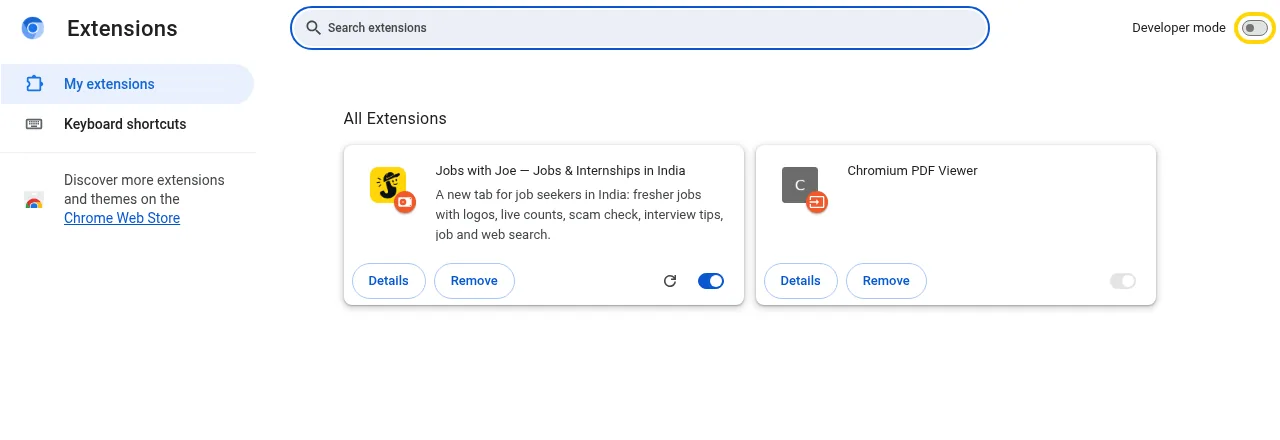
Step 3: Click Load unpacked and choose the folder
Click Load unpacked and pick the unzipped folder, the one with
manifest.jsondirectly inside.
Step 4: Open a new tab
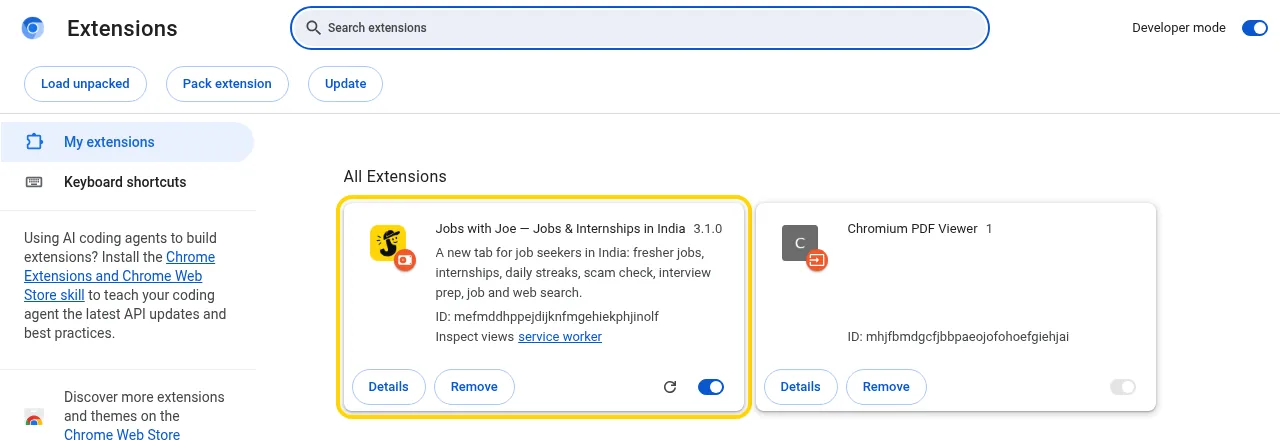
Jobs with Joe now appears in your extensions. Open a new tab. If Chrome asks whether to keep the new tab change, choose Keep it. Pin it from the puzzle-piece menu to get the toolbar popup.
Using Microsoft Edge?
Same steps with this address. Developer mode is in the left panel; Load unpacked appears at the top.
edge://extensionsUsing Brave?
Same steps with this address. Same as Chrome: Developer mode at the top right, then Load unpacked.
brave://extensionsGood to know
- Chrome may show a reminder about extensions in Developer mode when it starts. That’s normal for anything installed with Load unpacked; you can close it.
- Updating: Joe tells you when a new version is ready. See How updates work below.
- Removing: click Remove on the same card. Your normal new tab comes back.
- Chrome on Android and iPhone doesn’t support extensions. Use the website on your phone.
Staying up to date
How updates work
Chrome only updates extensions from its Web Store by itself, and Joe isn’t there (it costs a fee, and Joe is free). So Joe checks for you instead: every 6 hours it asks this site for the latest version number. Most changes, like announcements and categories, reach you from the site without any update at all.
You see that an update is ready
NEW on the Joe icon in your toolbar, a banner on your new tab (“Joe 3.4.0 is ready — What’s new · Update”), and a notification if you allowed them.
Click Update
The new .zip downloads. Unzip it into the same folder you loaded before and choose Replace for every file. Keep the same folder: Chrome ties your saved jobs, streak and settings to it.
Click Reload
Use Reload Joe now in the update window, or the reload arrow on the Jobs with Joe card in chrome://extensions. A short What’s new list shows once the new version is running.
On a version older than 3.4.0? It can’t check by itself yet: download the zip above once, unzip it over your Joe folder and press reload in chrome://extensions. From then on Joe tells you. Very old versions get a reminder once a day until updated; you can always close it.
Extension changelog
Version 3.4.0
- Updates: Joe now checks for a new version every 6 hours and shows NEW on the toolbar icon, a banner on your new tab and (if you allow it) a notification.
- One-click Update: downloads the new zip and walks you through unzip, then Reload. Your saved jobs and settings stay.
- What's new: a short list of changes after each update.
- Interview prep on a card now opens the full prep page for that job and searches for the company's own interview process.
- Announcements, feature switches and categories can now change from the website without a reinstall.
Version 3.3.0
- Real views and applies via Joe on cards, plus a Trending flame.
- Most viewed and Most applied sorts, and a live stats strip.
- An anonymous daily active ping to count users (see the privacy policy).
Version 3.2.0
- Application tracker statuses: Saved, Applied, OA, Interview, Offer, Rejected.
- Deadline reminders two days before a stated last date.
- Batch and Degree filters.
Version 3.1.0
- A new layout: sidebar feeds, filter bar, dense cards, Trending hiring and Closing soon.
Version 3.0.0
- The new-tab job feed with streaks, a weekly goal, Customise and onboarding.
Private by design
- No ads, no account and no third-party analytics. The only thing sent is an anonymous daily “active” count and the update check, which carries no identifier.
- Your settings, quick links, saved jobs and recent searches stay in your browser.
- Web searches go to your browser’s own search engine, never through us.
- The right-click scam check and the toolbar badge are off until you turn them on.
Read the full extension privacy policy.
Prefer the website? Browse all jobs.